Jupyter4NFDI Login
The NFDI Infrastructure Proxy
Jupyter4NFDI relies on the NFDI Infrastructure Proxy for user authentication. To log in, users first select a suitable AAI from a list of options.
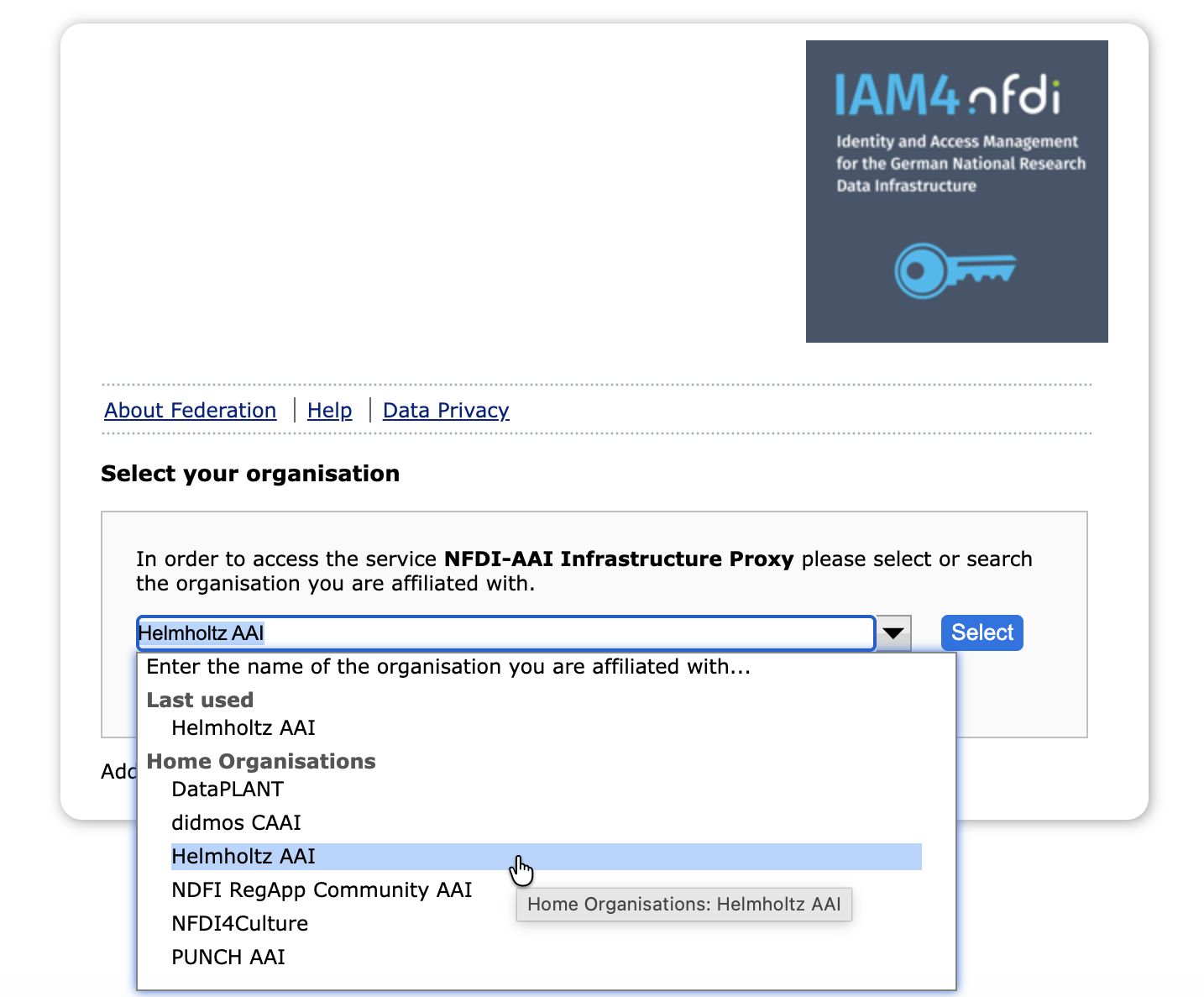
The choice will depend on which AAI(s) the user's institution or community is connected to, or, for users without an institutional affiliation, whether the AAI also offers login via social IdPs. Next, the users go through the steps of logging in (and possibly registering), which are specific to the selected AAI. As an example, a description of the login process using the Helmholtz AAI is provided below.
If not sure which AAI to choose, ask your institution/community about their AAI affiliation, or use Helmholtz AAI, as many institutions are connected to it and it also offers log in via GitHub, Google, ORCID.
Example: Log in via Helmholtz AAI
The Helmholtz AAI is a federated login that provides a wide selection of identity providers (IdPs), allowing users to log in with institutional credentials or social IdPs, like GitHub, Google or ORCID.
A complete list of connected organizations is available here.
The web pages displayed during your initial registration may differ from the screenshots in this documentation. The registration process is handled by Helmholtz ID or the connected identity providers, so updates may change the appearance of these pages.
1. On the Jupyter4NFDI Login Page, select Helmholtz AAI
Go to hub.nfdi-jupyter.de and click the Sign In button. In the NFDI Infra Proxy dialogue, select Helmholtz AAI, as shown in the previous screenshot.
2. Sign via Home IdP or Social IdP
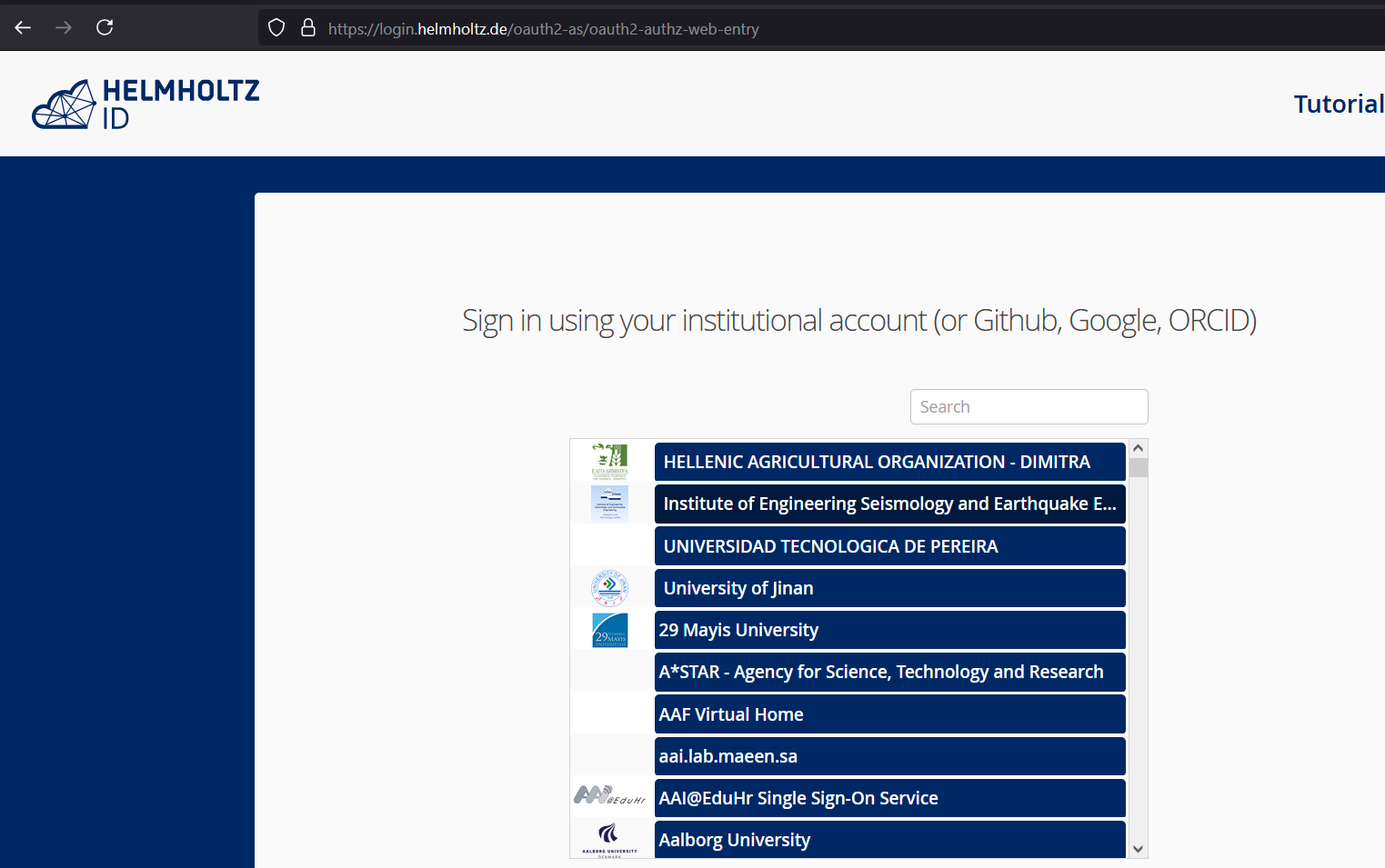
Choose the Identity Provider (IdP) you would like to use. Use the search field to find your provider and login using the credentials of your provider.
If you encounter an error message after this step, it means that your Identity Provider (IdP) has not provided the necessary attributes to the Helmholtz ID. In this case, reach out to your IdP to request that they address the issue. If they need further assistance, they can contact the Helmholtz ID administrators directly.
Register at Helmholtz ID
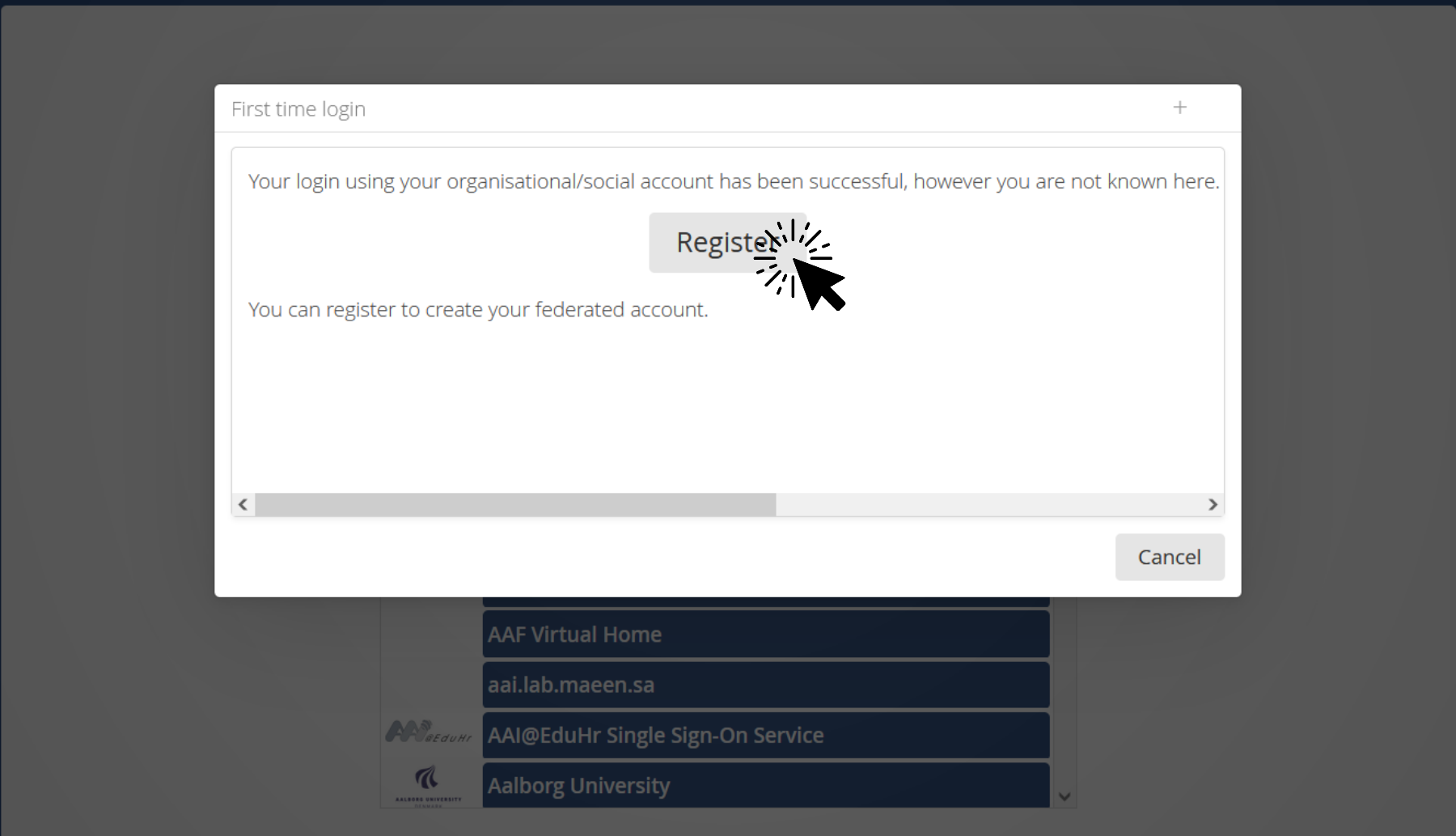
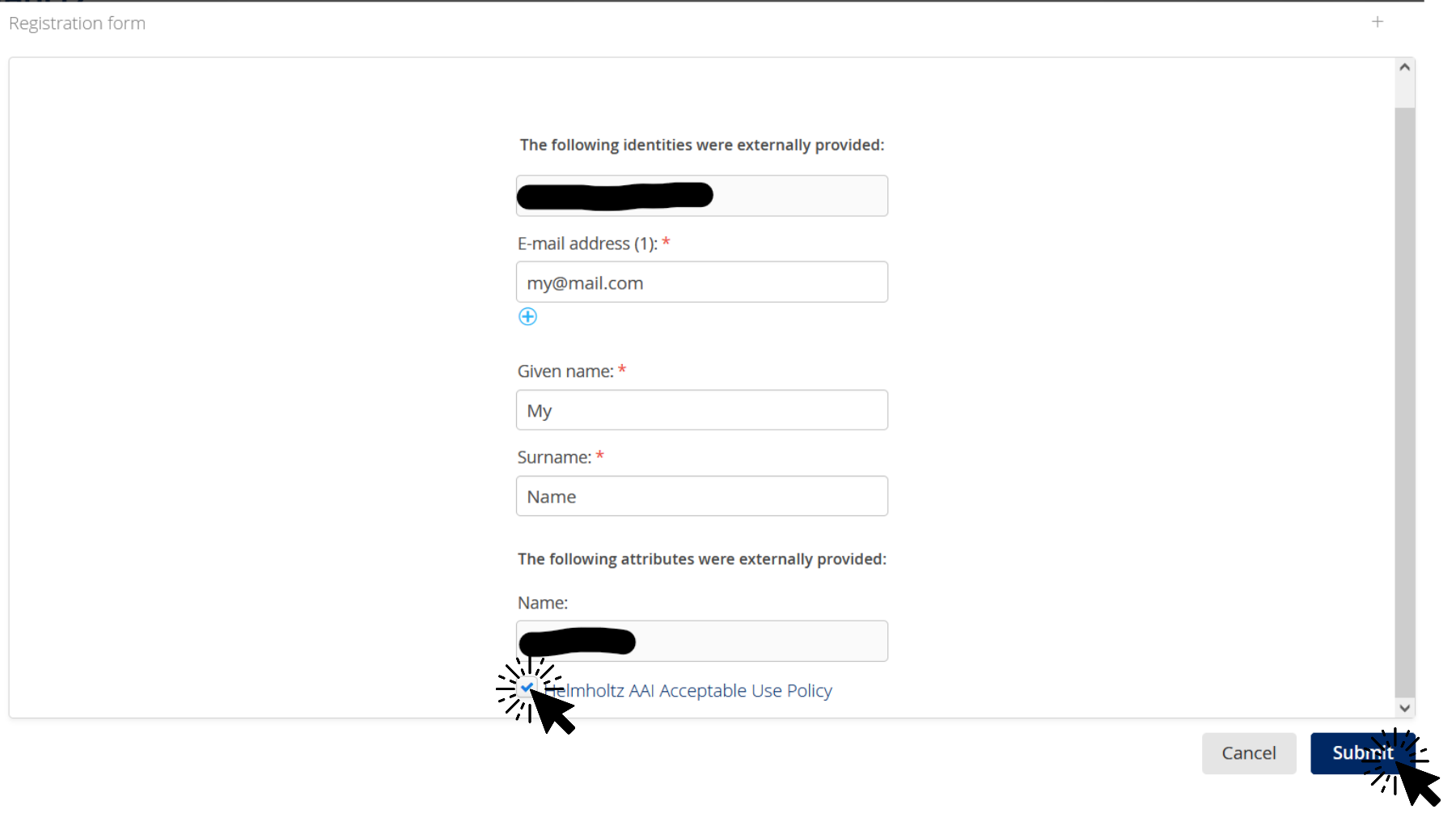
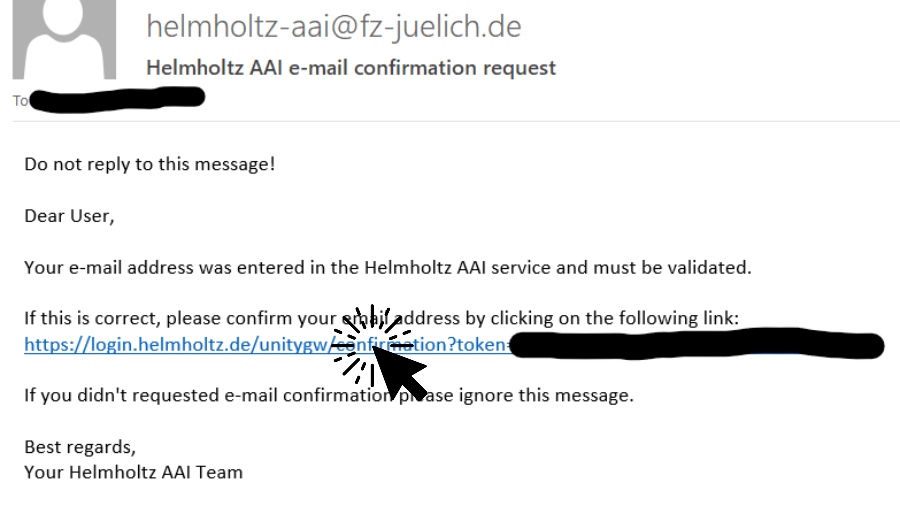
If you're a first-time user of Helmholtz ID, you'll be prompted to register. Click to expand for more information.
3. Consent confirmation
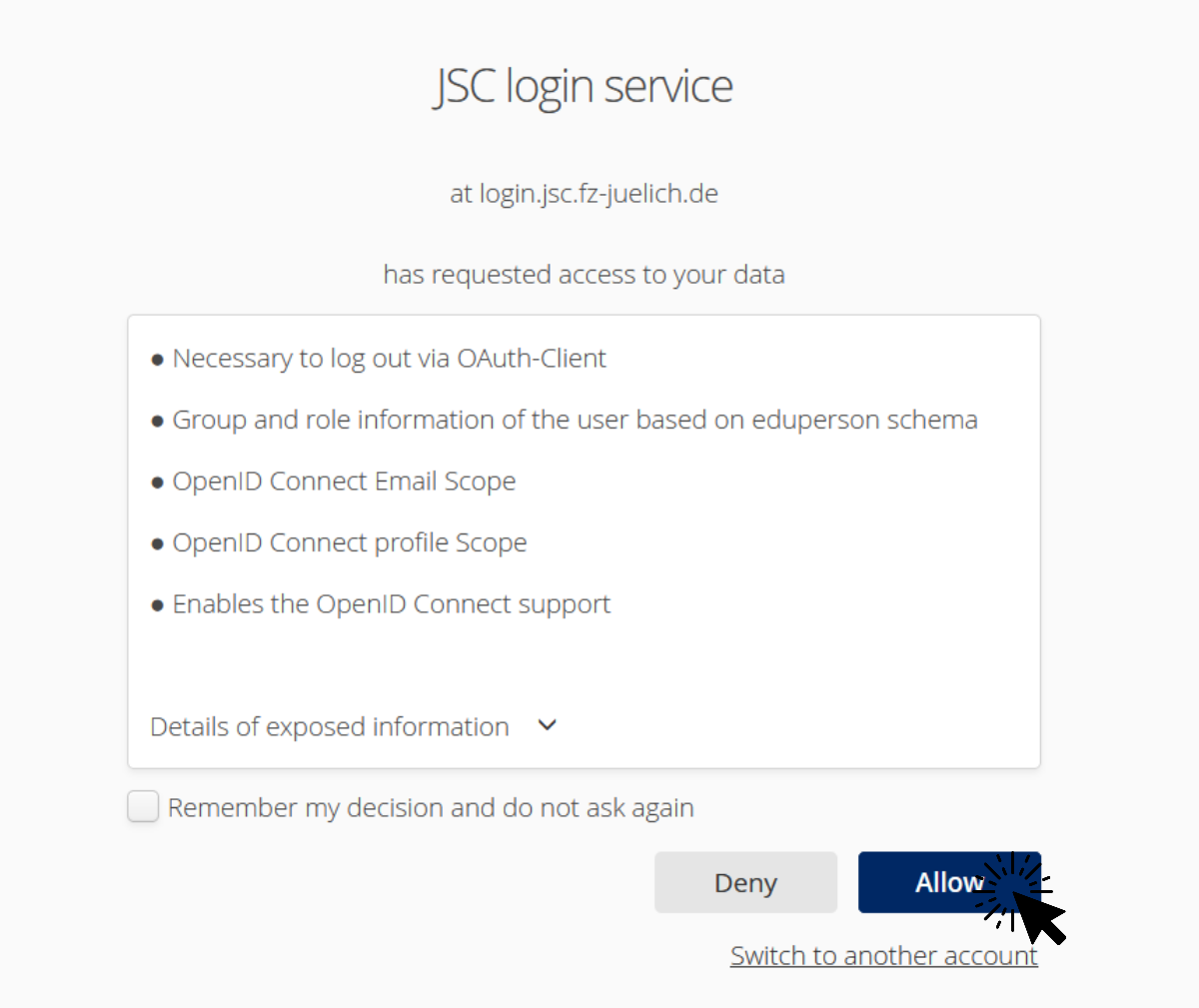
You need to confirm that you agree to allow the Helmholtz ID service to use the information provided by the Identity Provider.
The information displayed on this page is what Jupyter4NFDI will receive from the AAI. This data is used to determine your access to specific resources. If you need additional attributes to be sent to Jupyter4NFDI, please request your Identity Provider to follow the AARC-G002 guidelines and include the necessary information in the eduPersonEntitlement attribute.
FAQ
After logging in, why can't I switch to another login option or another AAI on the NFDI Infra Proxy?
To log out from the NFDI INfra Proxy, go to https://infraproxy.nfdi-aai.dfn.de/idp/profile/oidc/end-session.
How do I get access to a system
More information about access to the systems is documented here.